Skip to main content
How Can We Help?
Microsoft lets users recover their password if multi-factor authentication is enabled. Microsoft requires 2 methods to confirm identity. We have provided both SMS (text) and email as documented methods. This article describes SMS (the article detailing the email method is located here)
To set up text messages
- Sign in to your work or school account and then go to your https://myaccount.microsoft.com/ page.
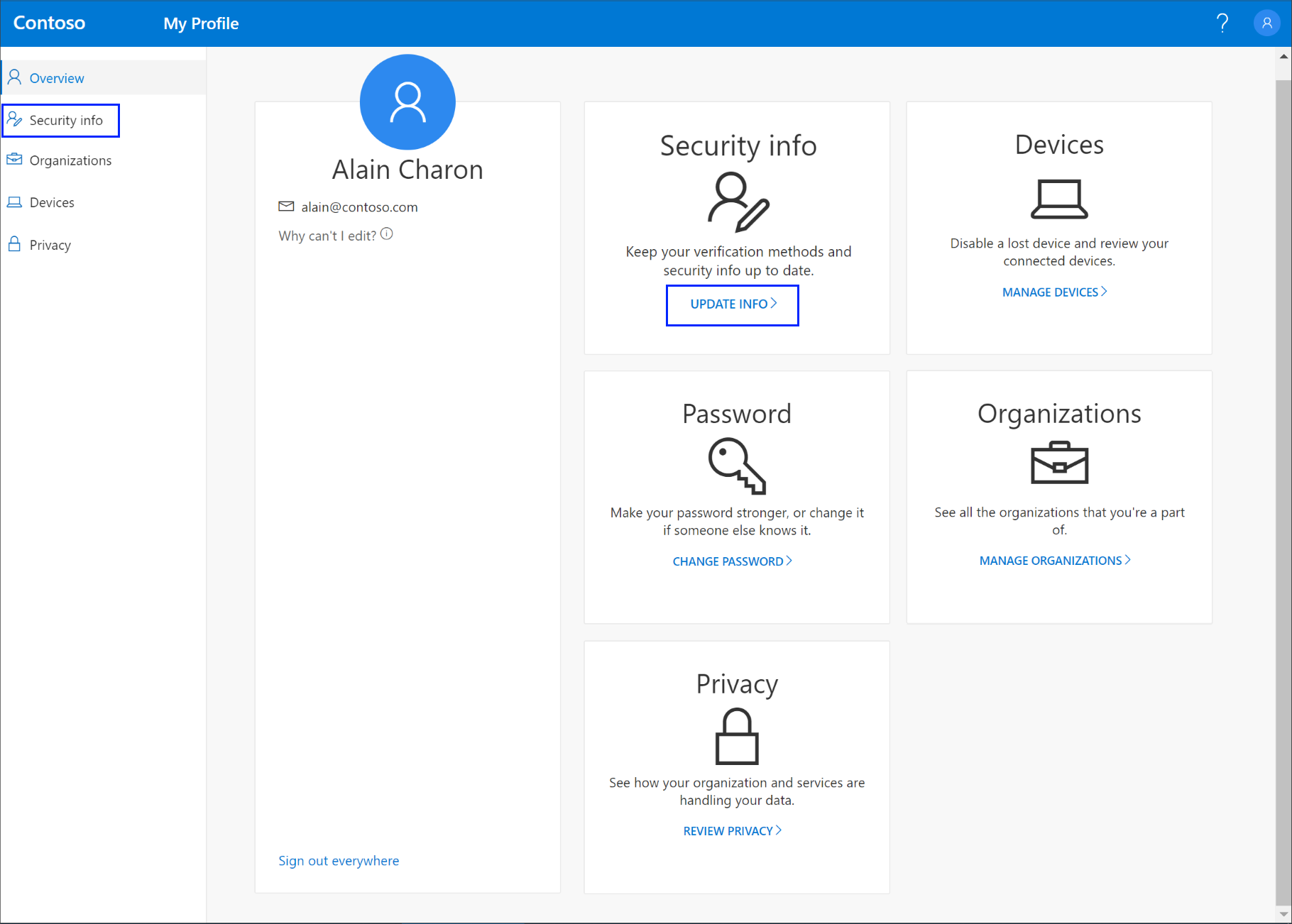
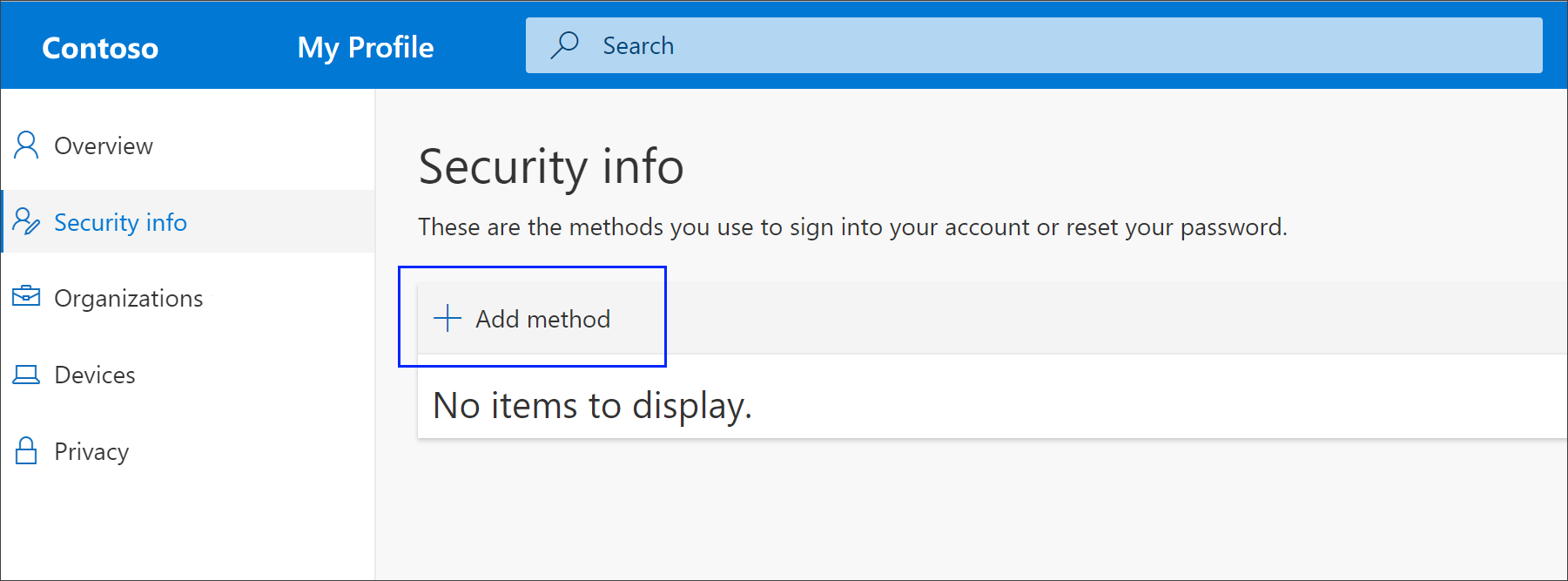
- Select Security info from the left navigation pane or from the link in the Security info block, and then select Add method from the Security info page.
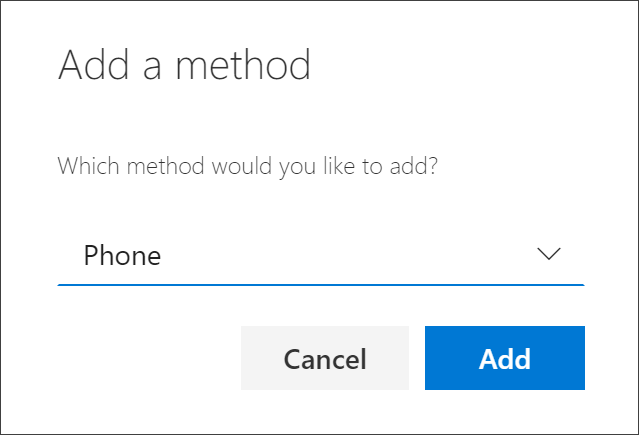
- On the Add a method page, select Phone from the drop-down list, and then select Add.
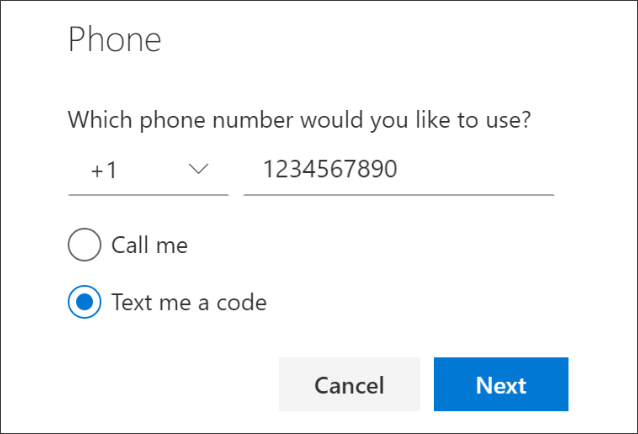
- On the Phone page, type the phone number for your mobile device, choose Text me a code, and then select Next.
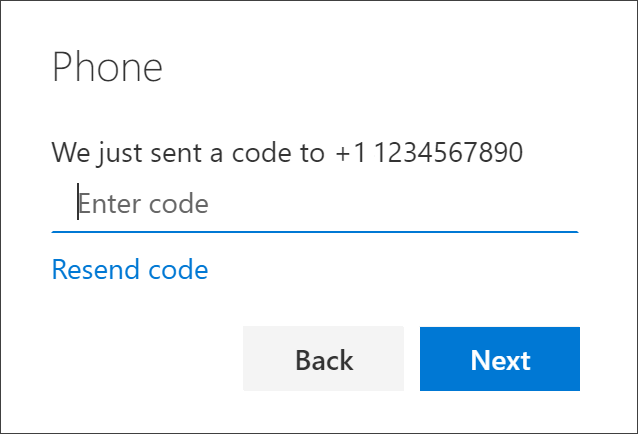
- Type the code sent to you through text message to your mobile device, and then select Next.
 The page changes to show your success. Your security info is updated, and you can use text messaging to verify your identity when using two-step verification or password reset.