Skip to main content
STEP 2: Once Logi Options+ opens, click the Settings (gear) icon in the upper-right corner.
How Can We Help?
How to Update Logi Options+
STEP 1: Click the Start button and type: Logi Options+

Click Logi Options+ to open the program.
STEP 2: Once Logi Options+ opens, click the Settings (gear) icon in the upper-right corner.

STEP 3: Click CHECK FOR UPDATE.
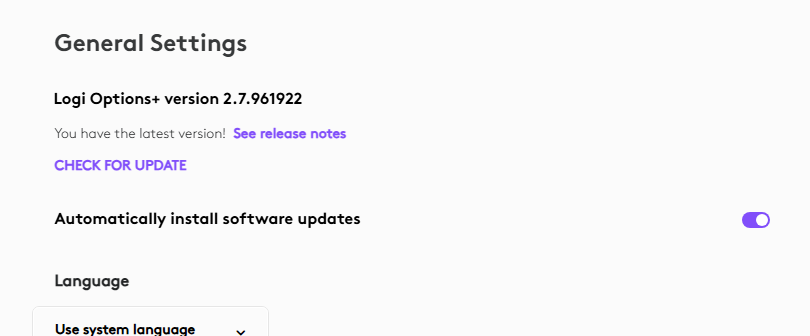
Logi Options+ will check Logitech’s servers and tell you whether an update is available.
Click Update/Install → Allow the update to download → Follow the prompts → Restart Logi Options+ if requested.
If it reports that you already have the latest version, you don’t need to do anything else.
While you’re on the Settings screen, I recommend turning on: Automatically Install Updates
This allows Logi Options+ to install future application updates automatically.